Plan each person’s month.
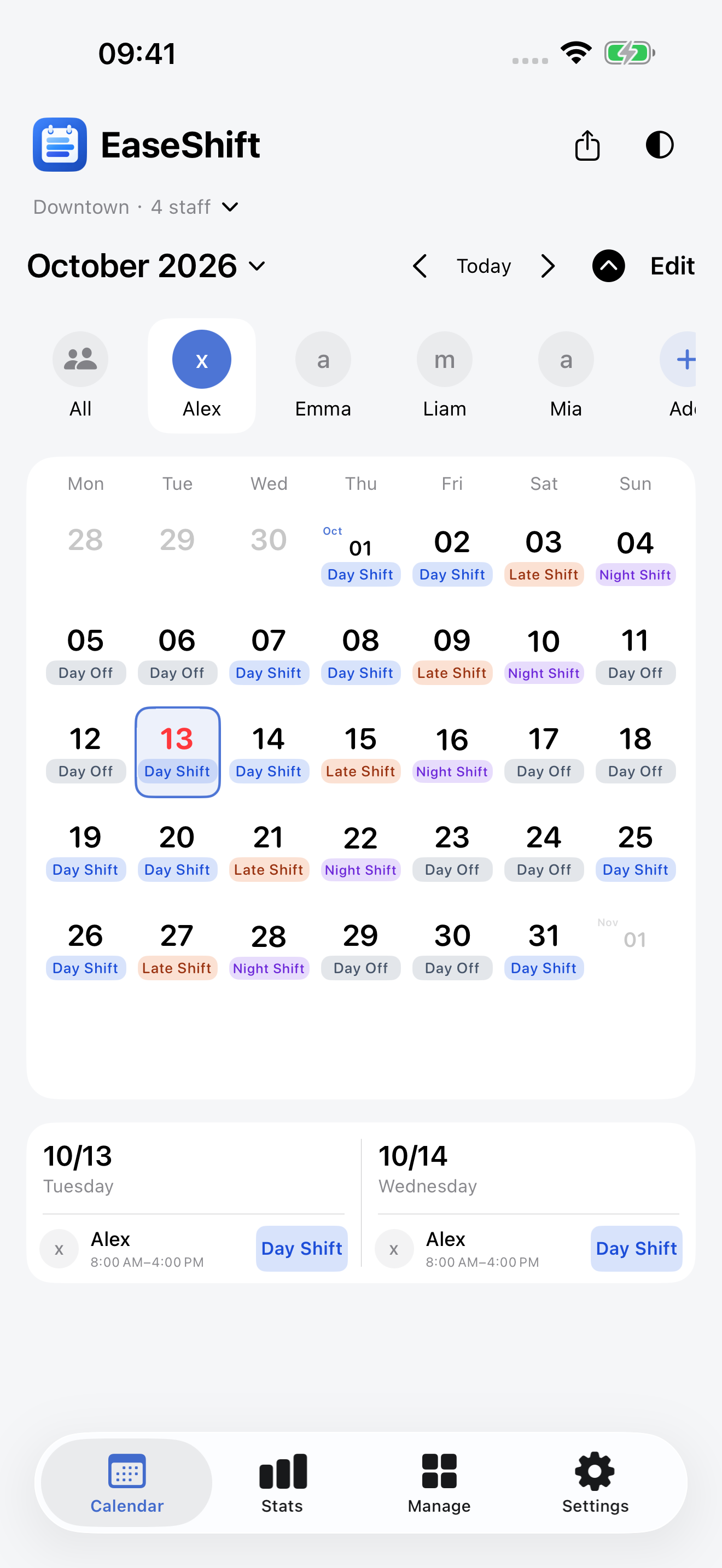
View and assign daily shifts in a monthly calendar. Plan consecutive days and move between months to track work and time off.
 EaseShift
EASESHIFT · FOR STORES AND TEAMS
Keep stores, staff and shifts together.
Plan in monthly calendars and team schedules, then share clear schedules with everyone.
No sign-up · iPhone & iPad · Local-first data
A VIEW THAT FITS YOUR WORK
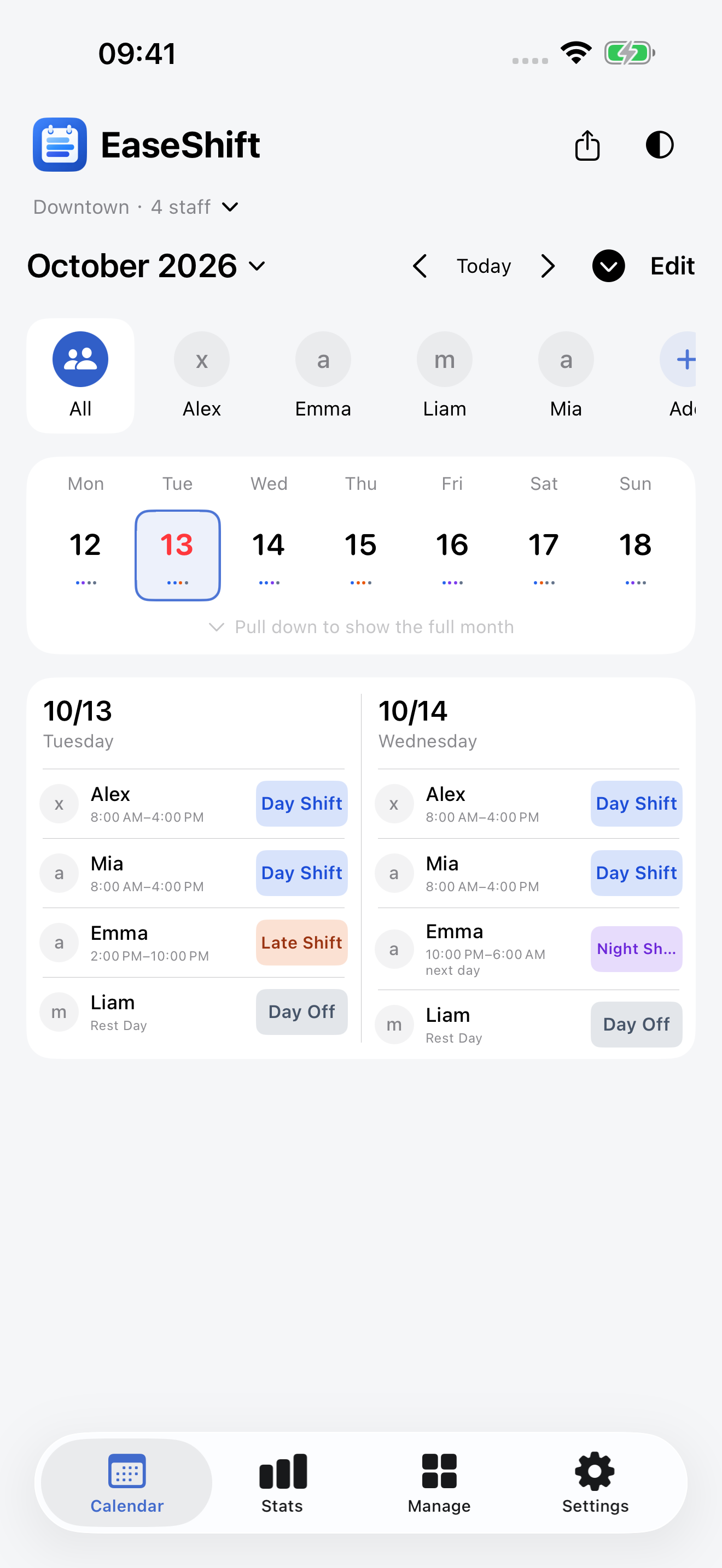
Schedule one employee across the month, or see everyone in a weekly grid. Choose the view that suits the task.
View and assign daily shifts in a monthly calendar. Plan consecutive days and move between months to track work and time off.
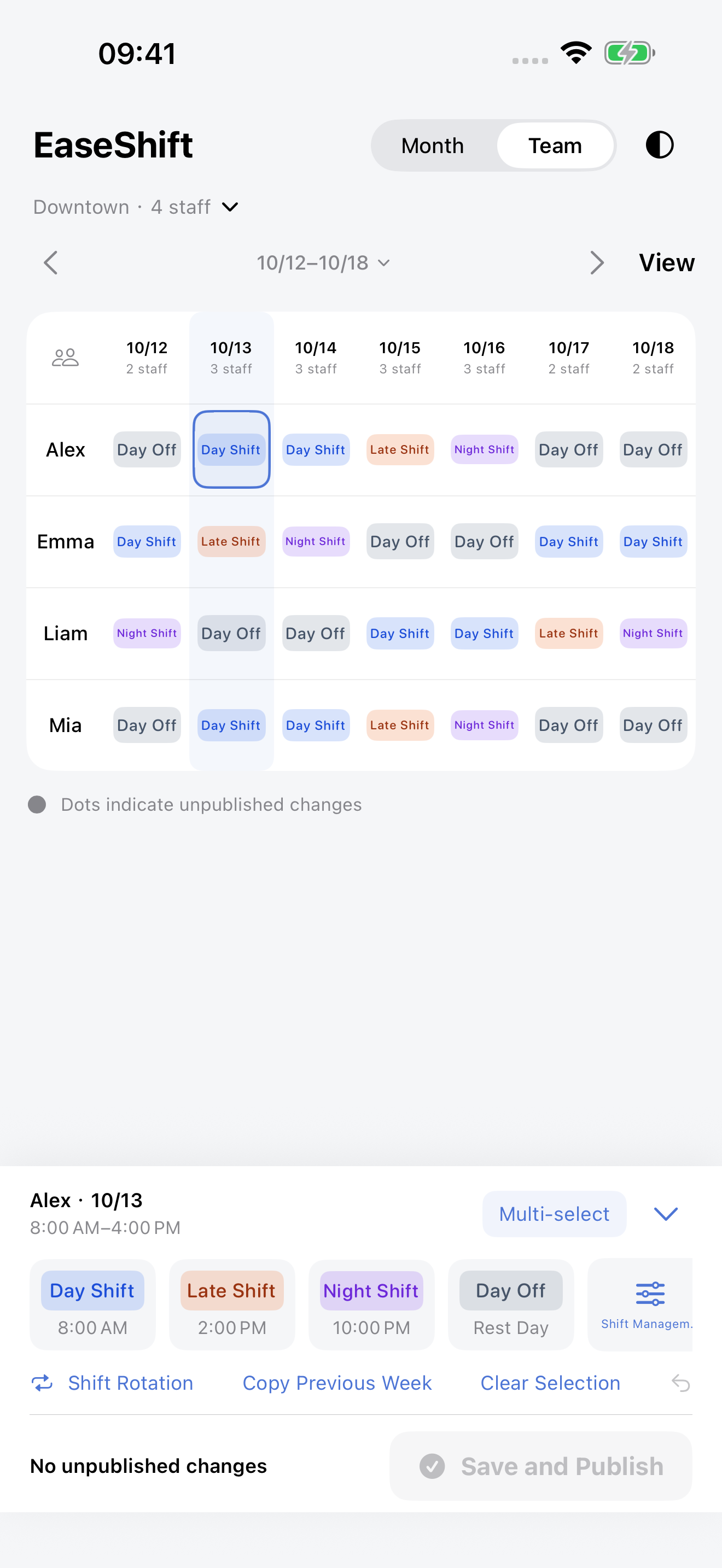
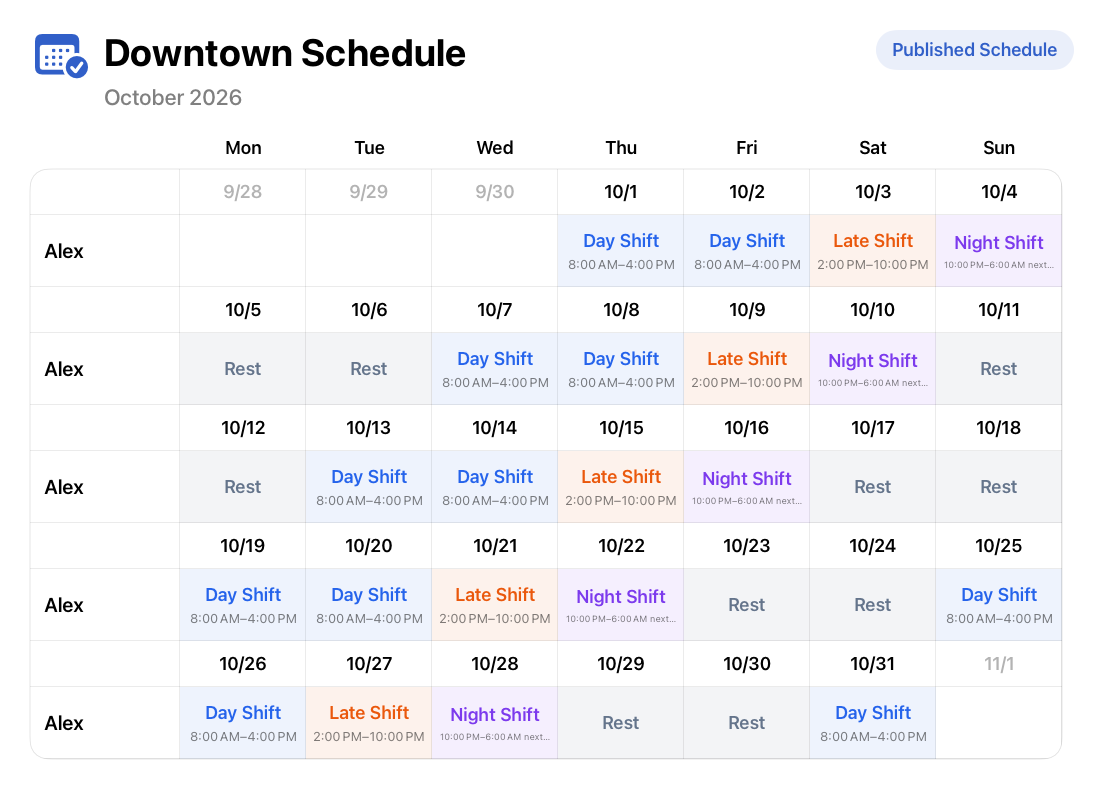
Staff and dates meet in a grid, with distinct shift colors. Pick an employee and a date to assign a day, evening, night or rest shift.
Set up shift rotations or copy last week. Select multiple dates, clear and undo edits, then review changes before publishing.
Customize shift names, times, types and colors. Handle overnight shifts and check for overlapping shift times.
Manage each store’s staff and schedules separately. Record employee leave and check conflicts as you plan.
FROM PLANNING TO SHARING
A schedule guides your team’s work and helps you review how each month and year was arranged.
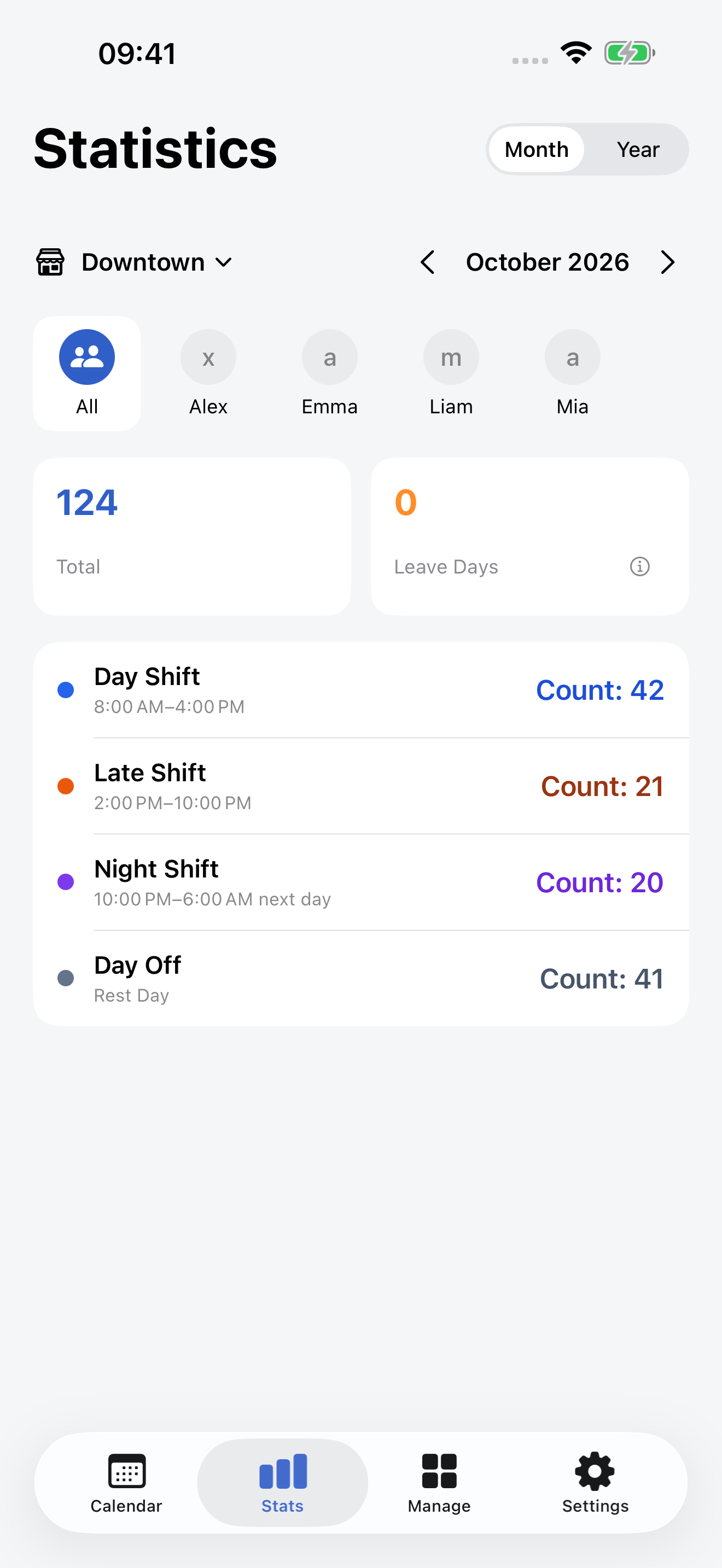
Review shift counts, totals and leave days by store, employee and shift. Switch between months and years. Statistics require Pro.
Share a month or week for all staff or one employee. Preview the image, then send it to your preferred app through system sharing.
Pro syncs through iCloud between iPhone and iPad using the same Apple Account. Edit offline and sync again when connected.
START WITH A SMALL TEAM
Manage daily work with a clear schedule. Unlock Pro when you need more stores, more staff and full statistics.
For a small team at one store.
Free shared images include EaseShift promotional content.
No subscription. One purchase unlocks Pro features.
See Apple’s in-app purchase confirmation for the current price.
Data is stored on your device first. Pro iCloud sync can be disabled in Settings and uses your private iCloud database. Daily backups exclude image files; sync does not replace independent backups.
Screenshots show the real app. Store, employee and schedule details are demonstration data.
EaseShift is available on the App Store for iOS / iPadOS 17 and later.